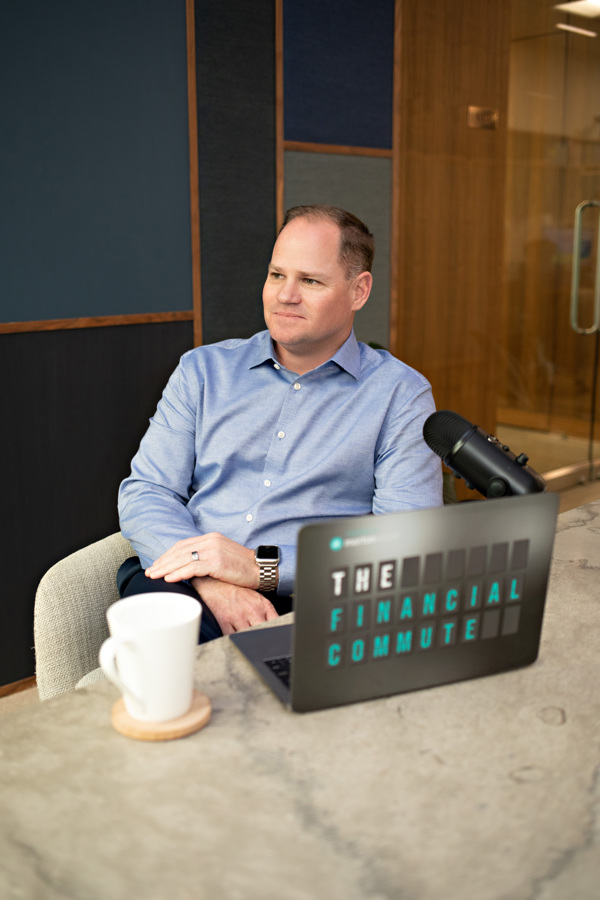
April 2026
Key takeaways:
I'm excited about the topic that we have today. We've got Adam Moseley and Patrick Hennessey. Thank you to Schwab for providing them as a resource to talk about cybersecurity and the threats that we all face there. We're going to touch on a little bit about like, why email is where we're most vulnerable, when and why to use secure portals.
Everybody's favorite topic passwords. I think I have password fatigue. The rise of AI scams in some of those issues out there. This is meant to be a question and answer, an engaged conversation. So please feel free. I'm going to help drive the conversation with these guys up here. But if you have questions or talking points that you would like to be discussed, just raise your hand.
We'll open up the discussion and kind of go from there. When I think about cybersecurity, I'm exposed through like four generations. I've got my kids that are three and six. I've got myself and my wife. I've got my parents and I even have my grandmother is 93. The number of times I've had to go to my grandmother's house and change every username and password because she clicks on too many links and still uses an AOL email address.
It frightens me, but I'm grateful to have these guys here. So let's just start the conversation with like, why email is our biggest threat and how we can best protect ourselves.
Yeah, you got it. But I kick it off. Sure. Hey, thank you, everyone, for for coming and just to to second what we just shared. This is a real opportunity. I hope no one here leaves with a question that you had coming in, going unanswered. You know, Patrick and I are part of a team. We work with registered investment advisors across the country, just like Morton.
Cybersecurity is a big area of focus for us, and we have spent probably easily a decade in this area alone. So don't leave without asking all of your questions. So, you know, like how you you went from clicking on links with, with grandma right into, email. So it's a great place to start as we think about cybersecurity and building up your own cyber defenses.
Email is the worst. We talk about email. We call it cyber public enemy number one. We call it the greatest cybersecurity threat to each and every one of us. And that's because it is the most commonly used attack vector that are out there. I want you to think of the fraudsters overseas about the globe. Wherever they might be.
It costs them nothing to send out thousands or hundreds of thousands of emails with malicious links, or with malicious attachments or maybe they're requesting, you to take some sort of action on behalf or maybe share some very sensitive, personally identifiable information. And again, it costs nothing to do that. And really all they need is one. And it could create a payday well enough to to support the work that they're doing there.
So as you're looking at your email, there's a couple very basic rules, very basic behaviors that I'd want to share with you. And one of them is treat everything in your inboxes if it's guilty. We say we share the same advice with financial advisors. Take a real suspect view of everything that's in your inbox. Don't be so quick to respond to it.
Most of what you receive in your inbox is spam anyway, so, so treated as such. And you know, I would tell you, you're better off deleting something that you think might be suspect than you are spending any time on it. You know, whatsoever you know, on that. Another thing too, as we think about dealing with spam, how many here get a lot of junk in in their inbox?
It's okay. Here's a fact for you nine out of it might be nine plus, but I'll just say nine out of every ten emails inbound into our company at Schwab is junk. And Patrick and I and Daniela, we don't even see it. It's filtered out before it even hits our inboxes. And we've got these filters that are cleaning all that out.
And you have filters like this, too. You just need to turn them on. And what you need to do is instead of when you see a junk email, resist that temptation to scroll to the bottom and hit the unsubscribe link, and instead take that same email and drag it into your junk folder or spam folder. It doesn't matter.
Whatever you're using, it will have a junk folder or a spam folder. Just drag it in there. And the beauty of that is that action alone tells your email system or your email provider that that's how I should treat all messages that look like this, that smell like this or whatever and move them in there.
I think that's a good point that you bring up as it relates to habits, right? I mean, sometimes, you know, we get emails from Nordstrom's or some, you know, service that we bought something from. It's it's easy to go unsubscribe. But if it's a fictitious email or a spammer, if we're clicking unsubscribe, that could be a vulnerable link.
And so moving it to a junk folder helps protect us more than clicking on unsubscribe, which does the same thing.
That's just it right there. And the bad actors, they know our behaviors. They've been studying us for forever. And yes, they have been known to take that unsubscribe link at the bottom and use it to throw you out to a different website where they're either one identifying you as a target or two. Maybe they're asking for more information on top of that.
So it's just best to not not click that at all and drag it on. Then there you have a question.
So sorry. It kind of all right. Let's assume you go to Jiffy Lube change oil in your car. Yeah. The next day you're going to get an email from Jiffy Lube asking how the service. Sure. How do you know if that's a spam or a real thing? Yeah. Without opening it up, how would you know? What are the differentiate between.
Before he answers, you're a lot nicer than I am. If you're willing to do the survey.
Yeah, well, I normally don't. You know, I normally don't, but, you know, it comes about when you buy anything. That's right. You're going to get the next day a service and then.
What would you do?
I actually don't engage with those. I just delete them, you know, because part of it is, you know, here you've had a real experience with a company. And so it seems reasonable you would get something from the next day. But, too often these, criminals around the world are using high volume companies that we're just likely to engage with.
How many of us have, you know, a Netflix account or get something from UPS, right. So we get spam that looks like it's from these organizations. And we might say, oh gosh, yeah, I did. I did get a package from UPS yesterday or I got one coming, but it's just a numbers game, right? It's just that there's a high likelihood reengaging with these companies.
So when it gets into situations like that, maybe it's a little iffy. I just on the side of caution, guilty until proven innocent, and tend not to engage. What's in it for me? Why do I need to fill out a survey? Okay. Got it. A couple hands.
Criminals are operating, like Adam said, around the world, there are industrial parks, corporate centers in different parts of the world where this is people's jobs. And they're using every channel. They're using email because it's cheap, fast and easy. And they're using AI, by the way, to craft excellent, perfectly worded messages and then distributing them at scale.
And they're using text and, you know, with text, Adam said about emails, slow down. You know, emails, not instant message. But we've become accustomed to, responding so rapidly. Well, especially when it comes to texting. Right? That's what texting is all about, really operating quickly. But we need to, resist that urge to operate too quickly. Really think about it.
And when in doubt, because they they use techniques that pique our curiosity. Yeah, maybe we did drive that highway with the toll. Maybe I didn't pay it, you know? Again, when in doubt, just delete. And I tend to delete and report is junk. And not even open it because sometimes just clicking on it to see the message could potentially unleash something bad on your phone.
Even if you open it up and spam or junk is not safe even there.
I tend not to sometimes in your spam or junk folder, your email provider will block images, and sometimes it's those images and in the email that, start to interact with your device. But I think just playing it safe, if you don't know the sender, you're not expecting it. If you're at all, you know, wondering about whether it's legitimate or not, I would just tend to, you know, delete report is junk.
Drag and drop.
Within a block.
Block. Yeah. Block cinder block senders a great one. Yeah, absolutely. It's better than engaging with that. Unsubscribe link, which could be malicious.
And blocking means that it identifies that sender. And then it will no longer allow an email from that sender to even reach you anymore. And that's great for text messages and it's great for emails.
So there's a there's a category, there's definitely spam. There's definitely junk. Is there a block.
There typically in your email is a way to block sender.
Yeah. You can click on the three buttons typically that are when you look at the right side of the message, there might be three buttons, where you can click on that and go to like block or this is fishing or move to junk. It's typically right there. Sometimes you have to right click on an email. If you're on a computer.
It just depends which way you're looking at the device.
Yeah, yeah.
About the same as report as spam.
Similar. But blocking will then tell your email provider don't even let any of those make it to your inbox or even your junk folder. In the future, they'll just be intercepted.
Yeah.
When I help my dad with the email, I'll tend to, you know, do what you were talking about with the grandma, report as junk and with his email. It gives me an option when I report is junk. Do I want to, toggle a button to also block that user? And I always do. Yeah.
Yes. So move to junk and. Right clicking delete would be comfortable.
Could be. Yeah. It's all dependent on which email you use. But yeah, the main thing is getting into junk reported as junk. So your provider knows you don't want that sort of message before, in the future. And ideally, you can block that user.
Yep. And again, you can do this whether it's a text message or whether it's an email. And and thank you for getting started. You know another way to think about the Jiffy Lube example. So I think it's a really good one. If you were to experience some sort of compromise, they're going to get a client list with names, addresses and emails.
And what are they going to do? They're going to send them. And that's what you're going to get. And it's going to look like a survey. Or it might be, hey, buy this package here and it's going to give you 1212 oil changes that would normally cost you, you know, 15 or 20 or what have you. So it's just it's just best to stay out of those altogether.
Here's some other things too. You're going to get email about. You've just been charged $499 for the your antivirus. It's a junk. I don't care what. Just delete it. But here's the thing. Or maybe it's a bank charge that that you're alerted to. No matter the case, whatever's in the body of that email resist clicking on it.
If you have a question about a charge, your first place to go should be your bank's website. Or even better, the mobile from your mobile app on your phone. Go to that bank and then look through your transaction history. And I would guess that nearly 100% of the time you're going to find that what was in that email is not a charge that hit that that account, but it's that behavior inside of that text or inside of that email that could get you in trouble.
Why is the app better than the website?
There's some security that comes along with, being inside of a mobile app. The entire experience is just walled off. It's a little technical, but it's walled off a little different than coming out to a website, typing out a browser address, or searching for an address. It's all contained in this secure little app, and it just makes it easier.
There can be encryption based off of your your face or whatever to access your phone. So like wall of encryption, there. If you're if your computer is basically been had issues or security violations, somebody could be tracking your keystrokes much different than the app.
Great. It's good. Good. And the other reason that we're finding apps, to be particularly effective for users, especially financial apps or really any, is because there are websites that are being spoofed to look like legitimate websites. And typically you'll land on one of these spoofed websites if you are not operating from, say, a bookmark on your computer.
So for example, Schwab Alliance, you know, if that's a website you visit or another, you know, important financial website, type that out carefully into your web browser, bookmark it for future reference, and use that. What we're finding is when people search for sites, especially ones they visit frequently. If they search for Schwab Alliance, and when they're typing out on Google, the, you know, the word Schwab lines, if they misspell it, well, maybe there is a spoofed website, I don't know, Schwab Alliance or something like that, right?
That a bad guy has his grab that address and it works its way out of the search results. And if it doesn't, it at least, perhaps appears as a paid malicious ad to this phony website. So then you click on that thinking that's where you want to go. You put in your credentials. Now those are harvested and used to get into your account.
So it's better if you have the app just to bypass that. But you know, it's not to say the web is bad, but again, just be careful and bookmark it.
So the question is when you're browsing the internet through a web browser and the browser offers to store your password, should you do it. Then you take this.
Most security experts would tell you not to do that. If you're really good about protecting your computer, keeping it up to date, you've locked down your iCloud or Google, whichever one you use with a really good password. Maybe multi-factor authentication. These are all things we're going to get into today. Then it can be safe and it can be convenient, but there's a lot of really important precautions that you want to make sure that you have in place first, because what you don't want to have happen is be saving all your passwords to your browser, have your browser be vulnerable, and someone be able to get in there and now they have access to all your passwords.
In terms of Google I happen to use a search engine called start page which use start page.com. Start page together. Start page.com. It actually uses Google behind the scenes but it puts them between you and Google. But I'm not familiar with the one you mentioned. And you know, there's probably a nuance here around passwords and storing.
So I know we're both Apple users at home. We have Mac laptops. I use keychain, which is the built in password manager on my personal Mac and with Safari it does offer to store my passwords and so on. On my computer at home, I do choose to have them store, but it's more of a Apple password keychain thing and then it completes them for me.
But in general, other web browsers, I wouldn't really be a fan of, having the browser saved by passwords. I would I would actually engage, a password manager. And I want to come back to email at some point. But yes.
How do you feel about using a browser like Firefox? I was told to avoid Google and use Firefox. That is more secure.
You know, I think variety, plays in our favor here and there are some strategies, and mine in particular is I use just at home. I happen to use Safari for important things that I log into where my where I need a password. So that way keychain plays well with Safari. So I'll log in to my banking and brokerage and email and in if airlines, whatever I do, that involves a password and for general browsing, I happen to use Firefox and I'll never do any sort of financial transaction on Firefox, so I've separated them by browser.
And that's that's one strategy.
Yeah. I don't I have an Android, so I don't have access to buy it.
So. Well you could, you could use say Chrome for some things. And Firefox for others. Yeah.
Is is Chrome more secure than Firefox?
I don't know, that one's more secure. I've got access to both at at work. So I think they've both passed a certain amount of.
It's, it's more about how you use them. And then it's also more about how you're handling your passwords. It's probably more about that and a little less about which which browser is more secure than others.
What do you feel about fingerprints as a password? Because that's the best.
It's stored on the device. Presumably, if you've got your device encrypted, you're okay. A few years ago, people were going around and trying to use Scotch tape to lift fingerprints off of, you know, devices when we were using fingerprints here. Now we're using face, and, you know, did that work in the laboratory? Maybe sometimes. But, I feel pretty good about fingerprint.
I've had situations where I received emails or texts that appear to be fraudulent. You know, gone to do it, to check it out, to, like, involved. If law enforcement, they have simply no interest at all. Yeah. Is there some place that you can go, some agency that you could at least talk with them? Most of the time they say, oh yeah, yeah, we're familiar with this one, but nothing seems to be there's no enforcement of any kind.
Is there someplace that you would recommend to go and say, I've got this fraudulent? I think it's fraudulent. And they know it's fraudulent, but it's so it's almost too great a cost to do in doing business to, to to correct it.
There's a website you can report to called ic3.gov. And it'll feel like it goes into a black box or a black hole. But what happens is if a case develops down the road, especially federal law enforcement will look at that website, what's been reported. And if they see that there have been a lot of reports, that suddenly relate to a case, then they'll start to act on them.
So it's it's better than nothing.
Is agreed already.
No. I see three I see, yeah, see, I see then the number 3.gov.
Yeah I so I as an income citizen cloud the number 3.gov.
Yeah that's it.
Yeah I had the experience where I with family was mostly using Facebook. Somebody stole my Facebook page. I mean they I could identify that they were in the Middle East somewhere. Yeah I actually tried all the things because you can only do it through the web with Facebook to change my password and stuff. And they kept letting this guy shape change it back, even though he was new and I'd been there for years.
I actually wrote to the, CEO of Facebook about it. All they did was hand it off to some lawyer and they never fixed the problem. I won't use Facebook. I know everyone's doing stuff on, these different things, Instagram and stuff. I won't use them. I won't use any of them. Which means I can't do a lot of things, but I'd rather do that than deal with the sort of issues that I had with Facebook.
Yeah, yeah. But that's her selection of her password. And I put things in their upper lowercase and it's like nine characters long, rather cryptic. And that makes it harder. So. And that she didn't do so.
So let's come back to that. Then we'll get go to your question because that really rounds out I mean, we can certainly come back to email, but I'm glad that you brought us here, because where Adam started and where we spent a fair amount of time was our own behavior, how we're interacting with emails. Another thing to consider is really just to, have a mindset shift and think of your email account as being like your bank or brokerage account and really needing to protect your email to the same degree.
So that means a long, unique password. And if you can, multi-factor authentication, because if folks can get into your email, then they can start to reset passwords and do all sorts of things. See your your conversation history, know who your advisor is. And then come in at a, you know, an ideal time for them. So, for example, a friend of mine was, last year planning an event for last July.
It was going to be a big gathering at her house. And she had come over to my place for dinner, and my wife and I helped her with thinking about, you know, the invitation and the guest list and all these things. And she said, okay, in May, I'll send that the Evite out. So lo and behold, last May get an email early in the morning.
And it's from our friend and it's the Evite. It says Lunch Bunch. And I thought, that's kind of odd. You know, that's not really what she was planning. Turns out she had a really poor password on her email. Her email was compromised. Bad guy was lurking in there watching her traffic. So when she sent us drafts of the invitation language, you know, he or she was just waiting for the right time.
And so the bad guy knew that she was going to send the evite out around May, so he, you know, beat her to it. And, you know, because I was expecting it from her. The time was more or less when I was expecting it. You know, I, I nearly, you know, fell victim to it. I clicked on it.
And then as I'm reading the details, I'm like, this is not right. You know, it wasn't the Evite that we all know. It was some other, you know, like spoofed version of it. Fortunately, nothing bad happened. I recognize that it jumped me to a page where it wanted me to put in the username and password. You know how so often we get the opportunity, sign in with Google?
And how many of us have Google, you know, username and password. But I stopped right there, closed it, contacted her. She had to change her password on the email, to a long, unique password. And, so a couple of things there. I mean, one, almost any of us, I almost fell victim to this. So, you know, again, slow down.
Really consider what you're about to engage with. But really have a long, unique password side plot, the, the complexity you've added. But, nine characters, I would say is, no longer acceptable. It's, you know, I'm operating at 18 to 20 or more for every password.
The special characters, the the ones.
Yep, yep yep.
I use several of those. I intersperse several of those in in the in between so.
That so years ago in fact this goes back to around 2000. An organization organization called Nest came out with some guidance on passwords. And at the time, many of our passwords could only be about eight characters long. So when that was the constraint, we had to do uppercase, lowercase numbers symbols to make it as complex as we could because it was short.
A few years ago, before the pandemic nest. In fact, the same gentleman from this actually, took back that old guidance and said that no longer applies. Now we can add passwords. I think your Schwab password can be something like up to 256 characters long. You don't need to go that far, but I look for 18 to 20 or more for things that really matter, like maybe 24 to 30.
And with this extra length, you don't, you know, those are bonuses. Now, you don't need all the complexity. You just need to make them long and you need to make them unique. So don't ever repeat passwords, especially for sites that really matter. If it's your free newspaper subscription, that's okay. Maybe repeat it if you if you want, but if it's your email, your bank, your brokerage, all of these need to be unique.
And so that's where, you know, password manager comes in.
Do you recommend any password protection out?
I mean there are some that we run.
Like the lockers.
Yeah. Yeah. So the password managers, Norton.
Sure. That's one of them.
You know, that's mine's one.
It's another.
One.
One password. LastPass. Who else uses a password manager?
Keeper. Keeper. Yep. That's a good one.
Yeah.
Any other than the others.
I don't know what all of these have in common. Every one of them, actually, that's that's been mentioned. Number one, you generally pay for them. This is a piece of technology. You want to pay for. Number two, they're very widely adopted and they're also very highly rated in the app stores. So that's one thing. And most if not all of the ones that could be mentioned or that were mentioned can be shared across a family to a degree as well, which can be helpful in some cases here.
That any one of those is, is a great password manager. It's more about how you protect it. That is really important. So Patrick now several times has said multi-factor authentication. That is something you would want to make sure that you activate that either recognizes the machine that you're logging in from or it requires a code, sometimes from another app.
And that password manager itself has its own long and unique password on there. So, this this becomes a very important and very valuable application very quickly. So securing it is really important. But then we do recommend these when they're used appropriately and they're protected appropriately, they can be great at. Now you it can load a password in for you.
So even if it is a 20 character password that's okay I don't by the way, I don't know any of my passwords anymore at all. I have to.
Accept the one for your password.
Manager. Oh that's right, except that that's well, that's and that's the ticket. I only need to remember one. That's why the one of them is called one password. Yeah, that's the idea. You just need to remember that one. So that's so long as you got those protections in place these can be extremely valuable tools. Just need to make sure that you're you're taking care of them.
In just on that topic. You know, if you're if you're going to leave here and pursue a password manager, great. If you don't have one, you probably should. You might just look at a few reputable review websites. So put in, you know, best password managers reviews and, you know, sites that I personally like the Wirecutter for reviews.
CNet reviews, PC magazine, generally does some good tech oriented reviews. So those are three sources, and you can start to triangulate and see which names are missing in multiple review sites. You know, they're okay.
That's not that.
Sure. Why not add it to the list.
There a couple hands. Let's go here.
Yeah. Someone not mentioned LastPass. I used to use that. That was hacked.
It was twice.
Yeah.
So there's an important lesson, which is that. That's true. It was hacked twice. And, in both cases, the data that was accessed was so heavily encrypted it was unusable to those on the outside. Now, some would really ask the question that, why was this company hacked twice? That's not that's a that's not okay. But, paradoxically, it was a lesson on how good these tools are as well at securing the information that they have.
It created a major inconvenience and a complete PR nightmare for those firms, I think. But, the information was protected in their.
Yes, here.
So now everybody can laugh.
Okay.
I can write all my passwords down. I don't store them on any application or website. They're in a file and that's where they're at, baby. And, you know, there's just so much.
Yeah.
Hey, why bother? You know, you just don't know of any of these sites. It could be end up hacked. Just write them down. And especially the ones that you use the most often. Yeah. And definitely change your passwords frequently.
Thank you. Let me, let me.
Yeah. And then I'm gonna jump in.
There's nothing to laugh at there at all. That's that's perfect. I know from having worked with my own mother, just like you mentioned your grandmother, I don't think it'd be a good idea for my mother to be using a password manager. So she writes them down, and we have a way that she locks them away and tucks them away.
Works for her. No problem.
I'm actually really glad this came up. I was hoping that there would be a paper user here.
Yeah, we're good with that.
I actually lost. I had a password manager, on my computer. That computer got old, and, I lost my passwords that were stored on the computer. So I use paper, with a password manager. I have everything written on paper also. And I got tired of keeping long eight and half by 11 sheets of paper and having, you know, passwords scratched out and redone.
So I have a single three by five card for every place I log into. So I've got a stack about this big that way of, you know, I need to change them or whatever. It only messes up that one card. I put my I put my, security questions on the card, anything else I need to know, and put a rubber band around them.
And I put it in the safe at home. And I think that's a fine approach, whether you're just paper based or you want a backup. You know, now, if your password manager is in the cloud, the provider is backing it up. So you shouldn't have the problem I had with them on my computer. But, there are there are secure ways to operate with paper now.
Now writing them down and taping them under the keyboard. That's not a good idea. Or on the frigerator not a good idea. But these other things are great.
And make sure the, the other thing password managers do is generate long, unique passwords for you. So if you're not using one for that purpose, make sure that you are generating long, unique passwords that you end up writing down. Let's not forget, it's not just about storing them. It also helps you create good passwords.
Yes. We use the competition for a brokerage firm. I won't name them.
No one's perfect. Robert.
The only one I notice. I have a username, password, a long password, and I get it. But if I take my laptop to another location, or if I log in from another laptop or from my phone, it says we want to do an authentication on top of it in that field. Yes, yes. Yeah.
We do that too. And that's a that's a great security measure. And I'm glad you appreciate the benefit of that. It's along with security comes some degree of inconvenience and oversight.
You know, it usually tells me, oh, we're going to text the six digit code to your cell phone. Great. And there it is. And I typed it in, and bravo.
Bravo. That's perfect. Yes, sir.
What do you think about the programs that offer to encrypt your keystrokes?
As in like a VPN?
All I know is it's an ad that comes up. It says it will encrypt your keystrokes, so can't.
You be careful with that? Yeah. So that's like, sounds like a red. That sounds like a red flag. But free. Yeah. But, yeah, let's let's talk about what's called a VPN or a virtual private network because it sounds like it's if that's not exactly what we're talking about, it could be adjacent to that when, you are using Wi-Fi and by that I mean any Wi-Fi that is outside of your home, you want to be really careful.
Actually, we would tell you not to use it at all, whether it's at a coffee shop, at a hotel or an airport. Don't use it.
Use your phone as a hotspot.
Yeah, that's what you want to do. Because that's much more secure. And the bad actors, they, they have known to be hanging out in coffee shops or airport lounges naked, throw up a Wi-Fi network and make it look like they're legitimate. And if you log into that, then they might be able to see everything that you're doing.
They also if if the Wi-Fi network at that Panera Bread is, old or weak, they might be able to get in there and actually hack the network and see what you're doing. If you are in a pinch and you need to use public Wi-Fi, you'd want to use something called a VPN, which, among other things, encrypts every one of your keystrokes.
That's why I think we might be talking about the same thing. They're we're big advocates of a VPN. When Daniela or Patrick or I, we're traveling with with a company, we can't even turn on our computer without a VPN turning on and immediately creating a secure communication channel between our piece of equipment and and the home office. So, these are great technologies to use.
They tend to run 7 or $8 a month and, you know, they're two. You'd want to think of them just like you do. Password managers look for one that's very widely adopted, very highly rated. And that could be something to consider.
And I heard say, well, actually not oh, actually, being a VPN and not like you, who will TSA.
No. Oh I have not heard that. But but sometimes when you're on an airplane, they don't like to see VPNs active. Maybe that's what what you might have heard there. Yeah, that could be sure.
And I'll just comment. Someone had brought up ProtonMail over here. And so providers like that or Firefox, you see these VPNs offered from several providers that you might already be using.
Yeah.
I would be very cautious if I'm, if I'm seeing a pop up offering this, in fact, I'd be inclined not even to click the X, but just to quit out of the browser entirely. That seems like a really bad red flag.
Yeah.
Back here. So per home Wi-Fi, I have, it's kind of back home. I was the internet investigator, but. Right, I was paranoid, I got it. Robot vacuum. So how important is it or what? You said just to get, like, a secondary, like a guest Wi-Fi. I mean, one that I have doesn't have a guest Wi-Fi, so I made sure I didn't get a vacuum from China, even though those are better.
So I want one on my wedding registry. All right, I just I need a another, Wi-Fi tower thingy to my registry. So I had two separate lifelines so that my child will drop off.
Email as well. So?
So the Chinese already have a floor plan of your house, by the way.
Not only I don't have TikTok, but yeah, I want a robot. That.
All right, all right.
And myself.
I got it. And you should you should have that. So number one, what a fantastic question. And by the way, we're talking about a, a vacuum here, but there's this whole world that are called the Internet of Things IoT. That's what. That's the category we're talking about here. For some reason, there are refrigerators that can connect to the internet these days.
And microwaves and washing machines. I don't know why, but they exist.
They tell me when it's done, I.
Okay, well, there you go. They get it, tells you when it's done.
And when you need more milk.
Or you need more, more milk.
I have to open it up.
Otherwise if I don't, that's. Yeah, it's okay, I gotcha. I'm on board. Any current internet router. And by that I mean within the last five years is going to have a guest network on it. Oh, yeah. And if yours doesn't, then it's time to get a new one. It's really.
It has one I would call up spectrum talk to him because, it might even be the last 7 or 8 years. It's a very standard thing. And activating this guest Wi-Fi network is a great way to carve out a very secure area of your network that is going to be helpful for any of these Internet of Things, any of your friends or family that come and visit you just don't need on your on your Wi-Fi, or anything else.
And, I have that exact same thing at home in my router. It's at least five years old. Maybe it's three years old, I don't know, but it has that capability. So if you just got this from spectrum, just call them up.
I still want to add my prior job on this anti-piracy. If anyone tries to sell you a product that says, we'll get you every single movie, every single TV show, and you just plug it into your TV and type and you're like, I do not do it. It will take all your internet data. We'll trap you. Do not do it.
Good call.
And on the, on the whole home network, question. I've seen even routers the last, say, 2 or 3 years have not only, primary network in the guest network, but an IoT network. So some of them are offering this third place. Does anyone here use Sonos speakers? Okay, so I tried to segregate and put all of my IoT devices on a guest network.
But to connect to Sonos, it has to be on the real network that you know, your your phone or your laptop access. So it foiled my plan. So that's the only thing on the real network. Every other IoT device is on, a guest network. And then when I notice my router offered an IoT, I move them over there.
So, internet of things, all of these, you know, your video doorbell, your thermostat.
Yeah. Like, not to not to pitch products, but the Eero System E Pro. Yeah, it's a fabulous user friendly system to where you can set up your main WiFi, a guest Wi-Fi also have like the IoT, the internet of Things to where you can protect yourself. That way it comes with an app. It notifies me when somebody is logged into the system or new devices connected.
It's very easy when friends or family come over to share the password to protect yourself. The. There are other systems out there that are just as good, but the Eero System E Pro is very user friendly and a good way to protect yourself. That's the.
Only way.
Is there another.
Question over here? Yes. I've saved, are stupid. Is it to have a face recognition? As a lawyer, to protect the right on the offer? Yeah, yeah.
It's the best thing you can use right now. It's better than a pen. It's better than a thumbprint. Facial recognition. Biometrics is the future. You're, As you start to log in to more and more websites, you're going to be offered to use what's called a pass key. You'll see that come up. Those are fantastic. That's actually using a digital fingerprint off of your piece of hardware, along with your user ID and password, along with a, you know, typically a physical, you know, biometric face scan.
And that's even better.
You know, a lot of times at Google, you're asked, how do you want to log on? Password or pass? That's a pass key. And I, I've never known how to even set that up.
There you go. It's super, super easy. Yeah. You just just select that option. It'll walk you through it and it it uses a combination of your biometric that presumably you've logged into that device securely. And then it's using, technology that's on the computer so that it knows that it's you.
And I think, you know, on the computer is key. So I got comfortable with face ID because, it's all stored on my device, on my phone. And so each new app, you know, these vendors, these companies don't get your biometrics. They're leveraging the technology on the phone. So, you know, if that gets you more comfortable with it and it's secure.
From somebody to ask you out, you're lying on the ground.
Well, so there are also some settings, a fair point. There have been some things in the news, lately that people have speculated, if that's been done, there are some settings where you can specify, you know, you must be paying attention, to foil that sort of, attack. So maybe you have to have your eyes open looking, you.
So if someone were really trying to coerce you, you know, you can turn away or something like that.
Yeah. Over here. Mr.. Real quick question regarding that. In terms of facial recognition, we are dealing with the issue of AI being able to duplicate your image perfectly these days, as well as your voice. What's the security? Possibilities for that by.
But the biometrics in face scans, they are actually looking at depth along with the basal to the basic two dimensional image. So a picture or a picture generated by AI. I have not heard of a situation where that's thwarted, you know, the type of technology that we have on our phones because our phones are actually looking at depth between things like eyes and nose and ears and what it's not like holding a picture in front of your phone is never going to be enough to to turn it on.
Or unlock it. That's one of the things that I worry about, because there's a bunch of podcasts with my voice on it, and so I have to tell my wife, like, hey, if anybody ever calls, you just don't believe that. It's, you know, me. But to to his point, like, there hasn't been any proof that that's happened.
At some point I do want to talk about secure portals, but yeah.
Oh, really? Quick question. Which for us in do you guys use?
I currently use one by a company called Nord and. Oh but I've used one from LastPass before. I've used one called Hotspot Shield before. I'm going to tell you they all look the same.
Okay. Thank you. Yeah, I travel a lot, so.
Yeah.
It's it's it's kind of a dumb question, but I just got a new card. And in this new car, I'm sitting, I parked it in the garage and I get an email or I get a message saying that it is locked. Yes. So is that a open opportunity for someone to drive by and said, this idiot just bought a new car and he I can access his whole computers, telephone?
I don't think so, no, because I know in my car it's not going to work unless I have my phone in my pocket with me. So I don't have to. I don't have to use a key anymore for that, but it might not tell me to if I if it's left.
In a locked drive in the garage, parked the car and go in the house, and about 20 minutes later I get a message on my phone so that your car's not locked. Yeah.
Let them.
Know. And I go. First of all, how does Lexus know that my, you know, my email address or my message thing? Yeah. And, you know, it's.
In the garage.
Come on. Sounds pretty cool. No, it's stupid, you know.
That's a that's a tough one. There are surveys recently that, automobiles these days are one of the worst privacy. Offenders. And they're notoriously hard to secure. So we talked about internet of things. We'll just brought it out. Let's talk about, you know, your ring cameras and your Sonos and everything else. The refrigerator, thermostat, garage door openers, all of these devices, need to have software updates.
So good. Good internet, just good. Good home security. Hygiene is so basic, but update your phone, update your laptop, update all of these devices. Don't don't assume that they're getting updated. Check the settings. See if you can set them to auto update. And if you can't, just think about going in at least monthly and checking for updates on them, because, old software can be notoriously vulnerable, and a lot of the bad stuff that we see going around the news, tends to target things that actually could be protected if only you had applied recent software updates.
So I think that's the bigger lesson with any of these internet connected devices, including cars. Yes. In the back of the question.
When when Chris started mentioned his grandmother and or AOL email, I remember the trouble. 25 years ago, Verizon was my ISP and and my Verizon dot net email. I think AOL was the back office. Yep. For so I still have an AOL. We still have AOL. Is there any reason why we shouldn't?
No, no there's not no no no. It's more about how you use that email than it is which email platform you use.
Yep. Second question is, regarding is there any advantage to using a VPN in home, as opposed to only outside? You mentioned, you know, like.
I, I've left mine on before and I it it's perfect. Yeah I just and it I didn't notice any performance issues at all. So no there's no harm in using it all the time. In fact I'd rather.
Be using it. I mean.
Oh I think there's plenty of advantages. You know, where it's going to. It's going to secure that internet traffic. It's going to hide who you are. It's going to hide what you're doing. If there's a disadvantage. Sometimes I know our own systems at Schwab don't play nice with VPNs, you know, because we want to know where you are in the world.
And we can't see that when you're on a VPN. So it might you might, depending on which financial services firms you're working with, it might get a little grouchy because we can't place you, and if we can't place you, we're going to slow you down and we're going to start looking into things and maybe get past that so that that could be a disadvantage, you know?
But that's as easy as I know. When I run mine all the time, I just can toggle it off and up in the upper right hand corner. No big thing. Turn it back on when I need it, but no harm.
And so the advantages I mean, you hit a it's privacy, some degree of anonymity. Sometimes that can be undone by a degree of privacy. At that point, really from your ISP, because they're probably the only ones who can see all your traffic. So the VPN will shield your traffic from your ISP. Another advantage sometimes people like to watch shows from, say, the UK that are only available to people in the UK.
You can tell your VPN make it look like I'm in the UK, so there's advantages like that VPNs actually don't really use when they're incredibly hard to, in contrast to, say, password managers, they're incredibly hard to evaluate. You really have to trust your VPN provider, because then they're going to have everything. They're going to see everything. And some of them are pretty opaque.
You know, who's behind them? What are their policies? So, you know, last time I tried to look at reviews on VPNs, it was notoriously hard to to figure out. That's why I do like the fact that, you know, ProtonMail, Firefox, Mozilla, you know, organizations I know are offering VPNs. Yeah.
The only reason why I joke about are, well is because that a certain time, for a long period of time, I had both. I had Gmail and my AOL, but I at least noticed about the Gmail is it caught more of the phishing and moved it over into the junk folder, whereas the AOL was just like that. Open file.
And trust me, her email has been hacked more times than you could possibly count. I just want to change it. But she's 93 and.
I'm not not going to do it. Yeah. So yeah yeah, yeah.
If you use Apple products they offer their own. It's called advanced data protection, which is like a VPN. It's end to end encryption. It's built in. But you do have to turn it on.
That is great.
Advanced data protection.
Yeah yeah yeah.
But if we pivot to using secure portals I think we've talked a lot about, you know, passwords, email security, some other things. But as it relates to communicating with networks like us or institutions like us, using that secure upload as opposed to sending documents directly. Yeah, we talk a little bit about that. Yeah.
We'll kick it.
Off. Yeah. You know, I, I tried to frame things initially when we talked about how we behave in email and then, keeping bad actors out of the email. So, you know, that might be one of the takeaways from today, too. You know, when it comes to security, it's it is about setting up strong perimeter defenses, keeping the bad guys out.
It's also about our own behavior, things that we do that make us vulnerable, and more likely to be taken advantage of. And this is one of those cases we need to think, you know, when it comes to email, that email really is not secure. When it was designed, you know, 50 or so years ago, it was not built to be secure.
Security was never easily built into it. And so the best way that I know to think about this is consider email to be like a postcard. And if there's not or I should say, if there's information, you would not put on a postcard and put it in the mail for everyone along the way to see, don't put it in an email either.
So when you're thinking about anything that's personally identifiable, that's sensitive, you know, certainly Social Security number, full account number or birthday, I mean, just anything that's sensitive, take it out of email. And when you're communicating with your financial professional, that's that's really when, you should be leveraging the secure web portal, because then you're logging into something, you're uploading information, they're logging in to retrieve that information.
It works for both ways you to share with them and vice versa. And really think about that more broadly, too, because I think so often we're we're prompted to share over email, maybe we're refinancing our house and, you know, spouse says, hey, I need a copy of your ID, you know, don't put that stuff in email. Just keep it, keep it out.
If your tax preparer or your estate planning attorney sometimes, you know, don't assume these professionals are going to lead the way. The way Martin is, sometimes they will ask for sensitive information over email. You've got our our permission to, put your foot down. Against that and demand that there be some sort of secure method to get the information they need from you.
But what does that mean? Secure method?
So a secure web portal like Morton uses.
So in the email signature for all of our employees, there's, there's two things down near our pictures in our name, and it says to to upload documents securely click this button, use something like that to upload documents to us. If I sent you something with an attachment, it's going to be encrypted on the way out to you.
I have no confidence that your email is encrypted when it comes back to me, so make sense?
Yeah. I was curious whether or not, like, a password sharing your text is any every bit as open as sending it being.
No, absolutely. Don't do it. Don't do it. With with texting you do have some good secure options. So we heard about advanced data protection. So if you're going say I message to iMessage, that should be end to end encrypted. There are great end to end encrypted messaging apps. My favorite is signal. There's WhatsApp that's built on the same backbone as signal.
If I need to exchange information with my wife, a copy of a passport, anything like I have no qualms about sending that over signal. I would never put it in an email or a text across platforms when you're going Android, the iPhone or vice versa, and you see that it's green, it's not encrypted. I definitely would not send anything that way.
That would be just like an email unencrypted in the clear.
Yes. Yeah. And and then when you talk about WhatsApp versus texting, my son, he has special needs and he was scammed, but he was texting with somebody and she asked him to go on to WhatsApp. And I didn't understand. My son in law was planning that because now all of their communication is encrypted. So we couldn't go back and get the information that she had been texting with him.
Yeah, yeah, yeah. Coke could be could be in his history. It depends on your history settings. But, you know, it might just be a lot of people around the world use it for, you know, kind of cheap, convenient, texting video calls. It's widely used globally. And so it's no coincidence that scam operation centers in West Africa and Southeast Asia use WhatsApp.
And this has become, unfortunately, something like a $10 billion scam industry. And that's just what Americans are losing. And it it tends to start with an unsolicited text hello or something. Again, where we start at the beginning, it piques your curiosity. Now you want to click and see. And do I know this person? I don't know, I kind of recognize that area code.
Or, you know, they either start on WhatsApp or they'll move you to WhatsApp. And we see this happening to, not just seniors, really, people who are vulnerable for a lot of different reasons, you know, and it might be flirtatious. There might be some romance angle, and then it's, hey, you know, I'm doing pretty well in crypto.
Are you investing in this yet? And this is, you know, have you heard of pig butchering? This is is that I'm seeing some heads nod anyone. So pig butchering is is where once the scammer has you typically over WhatsApp, they start to build up confidence in you. They'll show you fake screenshots of how the account is rising and you've got to get on board.
And next thing you know, you know you're sending them your life savings. And these are really tragic. In fact, you can I'm from the Bay area, Adams from Chicago. I mean, in every market we visit, there are, you know, five minute news clips about someone in the community who has just lost everything they save for retirement. And it tends to happen this way, hence the name pig butchering.
They'll they'll fatten you up and then, you know, go for the slaughter.
So. So what's better than WhatsApp to be secure? Well, I mean.
I like signal, but WhatsApp, there's nothing inherently wrong with it. It's actually built on the same chassis, if you will, as a signal. But it's really, like Adam has said, how you use it. Don't engage with people you don't know on WhatsApp. Even if you know, you think they're trying to help you or, you know, this idea of vulnerable investor or just people who are vulnerable to scams in general, I think is, sometimes we don't really think about, well, what does this mean?
And, you know, it's really more expansive than say, you know, the person with cognitive decline. It's, you know, have you recently lost a spouse? You know, have you lost your job? Is there some sort of major life event where you just might be more likely to engage with someone who starts to text you, you know, so, you know, be on guard against, you know, these sorts of things, especially if you're going through a major life event where, you know, unfortunately, people will take advantage of that.
Or if it sounds too good to be true. Absolutely. Yes. One other point. We're obviously heading into an election year. I don't know about everybody in this room, but I must get about 200 requests, texts, from people running for every office, you know, from dog catcher to whatever. Yeah. The how many of these are legitimate coming from.
You know, I know that whatever party you belong to, a soldier, your information or lots of money so that these people can try and get money. How many? There's a legitimate how many of them are fake.
Yeah. You have to adopt the mindset that none of them are legitimate because you can't. You just you'll never know. And it's a real shame. But yeah, I, I wouldn't I wouldn't be engaging that way at all because you just, you just don't know I'm not.
And. Oh go ahead please.
I was gonna say remember the old do not call list. Politicians were somehow exempted from that. So.
Yeah. Yeah. Yes.
I get both signal and WhatsApp because I'm told, you know, to get them.
Me too. Yeah.
Yeah. Me too.
Who is not on that? Can you still, like you're on signal and you want to text? I want to texting him. And he didn't have it. Can you still do it or. They don't have to be on that with those.
You need both people to be on that app for that. Yeah. Yeah. And so what will happen is it'll say do you want to invite this person to signal or it should recognize they're not on it when you punch in a phone number. And then you can send them an invitation to download the app. You A heads up so they know it's not spam.
So it used to be that you had to have some sort of computer skills to be a hacker. You know, and, but on the dark web, you know, the code to break in, is is shared. But AI is completely changing the game. So there was, a case about six months ago where, someone was using Claude, the anthropic AI chat bot, asking it for code to break into the Mexican government tax records and there were some built in protections where it kept refusing it.
And over a thousand requests, they convinced Claude that there that they were legitimately trying to test the vulnerabilities of the Mexican system. Yeah. And it worked. And whoever this was made off with some 200 million Mexican citizens, data.
There's someone right now trying to break into Schwab doing the same thing. Of course. And I'm curious, what kind of do you guys use? Whitehat, you know, hackers trying to test your vulnerabilities? Because I wouldn't be surprised to hear one day that. Oh, sorry, your money's all gone.
Yeah.
We're we're we are constantly testing our defenses. We do that internally. We most certainly rely on outside firms to test as well. That's a huge part of our cybersecurity infrastructure.
And so do you have firewalls set up.
We have all sorts of perimeter defenses, including firewalls to protect the data that's held in internal control systems.
So individually, we can set up firewalls with our IT people.
Sure.
Are there specific firewalls? I don't know, I know, yes one but I don't know.
On your on your device. Yeah. Do you use a mac or windows machine. Windows okay. So those of you who use windows you can go into what's called Windows Defender. This is a security setting within your windows device. And you can turn on encryption on that device while you're there. And firewall. And if you operate in the the Mac operating system environment on an Apple device, especially a laptop, any sort of computer, you can go into your system settings and they're on in the Mac environment you're looking for.
File vault. File vault is the encryption for the device. And while you're there, you can turn on the firewall. So these are two good settings. Again, whether you're you're in a windows environment or an Apple environment that you can turn on. So firewall and encryption and they tend to be pretty close in the, in the settings. And just one thing about I, I think, you know, when, when we think about our use of AI to, one of the first uses is around fraud prevention.
And cyber security. So is for every it is a bit of an arms race, as they say. And for every criminal out there using AI to try to hack, there are AI tools that are looking to prevent that hacking.
So I just want to mention one other AI related. I got it in an email, a week ago from somebody I don't know who, said that the I graduated from UCLA and they, said they were also UCLA grad, and they said I saw on your profile. And then it listed the list and all these details from my career, and they said, and I graduate.
And she said, she graduated this year, and she works in art duration in California. And I'm interested in knowing fellow Bruins stories, whatever. And I thought it was a little odd. I've never received an email like that before, but I was kind of debating over, you know, what I want to have some conversation with somebody I don't know.
I didn't respond. A week later, I got a follow up. Oh, I know this might have gone your spam, but I just want to say no pressure if you want to talk. And then I thought, I like look into it a little more. And the first kind of thing that was odd. It says she saw it on my profile.
It didn't say what profile. Yeah. You know, we're where is this information coming from? And then I search for the name of this person, Amy Bloom. I search for Amy Bloom, art curator, California. Nothing comes up. And lastly, I just do a search for the specific email address. Nothing comes up. And I feel like, is someone really sitting there going through and looking at it was probably from my LinkedIn profile.
Sure. Doing this because I said, no.
You can have I do that, of course.
And everybody in this room could have like an individual email with your personal details just gleaned off the web. Yeah. As a phishing attempt.
That's right. Yeah.
Yeah. It happens. It happens to us internally, whether it's from LinkedIn or whatever. I've made the joke over here about my voice being out there and stuff just because of the podcast. It's something that I get inundated with and constantly delete, you know, because it's not they're not being specific, it's too generic, and it's yeah, odds are pretty good.
It's a phishing scam.
Yeah.
You know, to, about, all of this cyber issues and what etc. is to really understand that this is an industry. It's a that the United States $10 billion industry. Right. So all these fraudsters and scammers have literally applied for these jobs. They have resumes, right, that say my success rate is X. My ability to, you know, try is why, they're applying for jobs.
They're going to call centers or whatever training or whatnot, and operate in the dark web or wherever. It's an industry. And it's but once you get your arms and your head around.
That, it really.
Changes how you view everything that comes your way, because their whole purpose in life is to get into your life, to sit in your email box without you knowing that you've been compromised for six months and wait for the exact moment to intercept, that, house sale, or change the escrow instructions or whatnot. Which is why, you know, validating, wiring instructions with the company, etc. is extremely important.
Because that is their job. That's what they've applied. They want to get promoted, they want to get more money. And the more success they have, the more money they're going to make. So you try and look at through the lens, it'll help you to stay vigilant.
So it's what Daniela said. And it gets more tragic because some of them are not there. Volunteer at the voluntarily. So some have been trafficked and there have been a couple of big cases lately in, I think Cambodia where, you know, some of the doors have been opened and people have streamed out. But yeah, I mean, they're working that hard and they've got all the time in the world, you know, so they'll they'll chip away at you, they'll send an email and then, you know, hey, I didn't hear back.
Probably landed in your spam, you know, a week later. And then they can be even more persistent than that.
Yes.
So how much information would you say is out there available? My social security number, obviously. My address.
Everything. So. So yeah.
It's a I'm afraid to place an order on Amazon.
Well I don't yeah.
I mean.
So yeah. So we talked about perimeter defenses keeping the bad guys out. We talked about our own behavior and things that we do make us vulnerable. The third way to think about it is just acknowledge your stuff is out there.
Yeah.
True story. I was down here in SoCal doing an event like this, I don't know, maybe two years ago. And, and that event, instead of atom, I was with my fraud prevention colleague, and she talks a lot about scams and those sorts of things. And, I flew home that evening and my wife's making dinner, and she literally gets an alert on her phone because her credit card company monitors the dark web and for her and said, your social has been compromised.
And so I had been addressing a group like this saying, one of the things you can do is freeze your credit. And I had never done it myself. And when I saw this, I freaked out and I said, you know what? We've got to do what I've been talking about. So it was already later that evening, I'd flown home and I thought, oh, this is going to be a nightmare.
It's going to take three hours. We're going to have dinner at, you know, 11:00 at night or whatever. I grabbed the laptop, my wife sat down with me, and 17 minutes we had started from scratch, logged into each of the three major credit bureaus, set up a username password, and froze her credit. It was so easy. And so she went back to making dinner.
I did the same thing for myself and I thought, wow, I don't know why I waited this long, but if you if you accept that your info is out there, a credit freeze is a great thing that can keep people from using it.
Great, right?
Okay. And colleagues of ours are saying, you know, telling us, well, there's a fourth one. I think it's out of Ohio. A fourth credit bureau. I haven't tackled that. Maybe that's something I do this year to take things up a level, but, it's easier than ever to freeze and unfreeze. You can log right in. You can even schedule it.
If, you know, tomorrow a bank is going to check your, you know. So I highly recommend it.
The quick I've been the victim of identity theft since I was in my early 20s, and I was in the middle of juggling, more than one job and two jobs, completely overwhelmed, under pressure. Somebody called me and said, oh, your internet's going down. The payment didn't go through. I gave them all my information. Yeah, sure. And then it started, and it was a steady succession.
And every time I went out of town, the activity would start up loans this bad. It was a complete mess. The only thing that stopped it is freezing that great. So the only thing I'm talking, I've had every service or the the LifeLock or whatever. Yes.
Yeah, yeah.
None of them work. Not from the banks, Wells Fargo, none of them work. And also one time the, I was working out of the town and I had alerted the credit card company, Wells Fargo, which I don't use anymore, but, for a long time, mainly because this is one reason why. But I said, I'm working in Vegas.
If there are any charges that don't come from Vegas, I need to know. Next thing I know, I'm monitoring my charges and there's so many charging hotels and cars and all this stuff from Redondo Beach. I call the credit card company. He's right there where she is. She's right there. She's in this hotel right now at the counter.
They do nothing. They do nothing. Anyway, the only way to protect yourself. The only thing that changed at all. Freezing.
Thank you.
All three of them.
That's important. And try to stop their talk about this home stealing thing. I think that would bring it to a pretty quick halt.
That's that, as far as I understand, is about, title with the county. And so your tip off to that, maybe if you don't receive your property tax bill. Yeah, that that could be I know. Yeah. Or. Yeah. Yeah. So it's that's tough. I thought I saw something that one county in California was doing to try to protect against that.
But it's escaping me at the moment. But that's something where I mean, yeah, I think if you if suddenly, you know, you just don't get anything from the, the assessor's office, that could be a tip off.
That's usually once a year.
Another thing I.
I signed up for alerts from our county, if any of our tax records are accessed, so I don't know. I don't know that any every county has that. But I called the county assessor's office and, just set it up, no big deal. And, you know, I saw the home.
That's a good that's a good idea. And, you know.
Even if they did take I think the danger is if they take out loans against your property, but that then it would go to your credit because they're using your name. Yeah. They should. Yeah.
Right. Right. So that's where the credit freeze can help.
So that's what I did.
On speaking of block, I asked if we have it as if they protected against this, and they told me that. Did. All right.
Yeah. Then they have something now then.
You know.
Yes. We get a lot of these guys. I've looked at some YouTubes and some guys chasing people down. And a lot of it is coming from Nigeria. Yeah. And other places like that. These people are dirt poor, but they're smart. Oh yeah. How to program. And they can speak English. So they're making us right in the country. They're making as much money during an hour.
Not in a day. They're desperate and they're not. Yeah, yeah, yeah.
Office. What is the language I.
Used to protect? I want to protect my title on my home. Is there a way to lock that down?
Thank you. Yeah. Is there a safe way to erode your tax time? And we're getting lots of questions and everything else we have to deal with accounts. Is there a safe way to, get tax documents that usually contain Social Security numbers through email? Or is it.
The safest way is to leverage our portal and to connect us with your CPA? We will give them access to a CPA portal. And every time one of your tax documents gets put into that, that that portal, they will get a notification and they can log in securely on their end and they can download that for you.
Yeah. Other documents would have to be hand-delivered.
Yeah. Otherwise you know don't trust email. No I started off the conversation.
Yeah. No not an.
Email. Yeah. Your accountant should offer the same sort of portal that that Morton does.
In some cases we can, you know, put those into a file and send them a secure link that's password protected. But really getting them set up on a CPA portal through us is the best way and the safest way for them to access.
So let's go here.
Regarding that, like if I get news about my son and his Social Security and I'm trying to get them to his father up in Northern California for because he does his taxes for him, I can't email with an attachment or.
I wouldn't.
Know, but you.
The best. So I guess the best way would be for me to get the password information to him. And then he access is it through Social Security.
Or you or you could set up a portal. You could use something called share file, for example. You could use something called Dropbox. You could set up your own, you could do this now in iCloud. ICloud fairly easily. Yeah. Just keep it out of email. And, there's any number of ways to, to get information securely to a friend or family member like that.
And incidentally, you know, signal, for example, has a desktop app that can actually sync with your phone. So sometimes when I need to get a document from a, from my computer to someone on signal, I can just go to signal on my computer instead of on my phone, drag the document over or the the portal idea is a good one, but yeah, keep it out of email.
Yeah. As a very last resort, I mean, you could presumably redact the social and attach it, but, you know, be careful.
Yeah.
Because there's a lot of mail fraud, actually. So while we're on the topic of properties and password.
Yeah, you can password protect the file and then call somebody and give them the password, but it's still not 100% safe.
And, but here's the way I want you to think about that, because I think it gives you a real false sense of security when you password protect a file. So let's all assume that at some point, our email accounts are going to get compromised. Just imagine that for a second. If a bad person, a bad actor gets into your email account, they've got all the time in the world, and they can spend the next 365 days trying to guess that password.
My guess they'll need about ten minutes. What we tend to use is passwords are not all that complicated or sophisticated, and there's a lot of ways that those can be just brute force cracked using technology that is really basic that the bad actors have. So for that reason, like, we all operate in a way that just assume somebody will be in our email account.
Therefore, we try to keep stuff out of there as best as we can and use it, use a portal.
And like Adam and Patrick mentioned, having having a password that's 18 or 20 or 25 characters, it's much harder to to sure, you know, hack as opposed to nine. Real quick we're going to we're going to wrap things up here. Adam and Patrick are going to stick around to answer more questions. But we talked about an awful lot today in terms of email security, password security, using portals, the rise of AI scams.
I would like to thank everybody for coming here today.
Patrick mentioned a story early on about Evite, and you mentioned a story, too. And there's a nuance in these in both of the stories that I heard, I heard something like and that didn't feel right. Remember that. That's your instinct is what that is. And far and away it is your best cyber security fence tool. Everyone we talk to that's ever been that got bent through one of these sort of situations.
They always say, you know, something didn't feel right, or I thought something was wrong. That's that's your instinct. So when you feel that, just stop. If, if you find yourself in a situation and someone is asking you over the phone to go to the bank, stop, just hang up and involve a family member. Call your financial advisor.
If you ever find yourself in a situation where somebody ask you to go get gift cards, just stop. Just stop everything. Hang up the phone. That's all it. All you need to do and get in involved. Involve somebody else. If somebody calls you and says, we've got your family member, we're holding him hostage, just stop. There's a much higher likelihood that the whole thing's a sham than there is that that actually happened.
So just stop and involve somebody else. Get a family member involved. Get your financial advisor involved. Just get another set of eyes to look at that situation. Sometimes that's all it takes. Is somebody from the outside looking in. What would you get.
Really, really good points. And if we had more time for stories? I mean, there are people who are known in the internet security world who have fallen victim to phishing. There is a financial journalist who, at the end of a long day on the phone with someone purportedly from the IRS, actually handed over a shoe box with cash to a car that I mean, she should know better.
There's a financial professional not at this firm, but one I know in San Francisco who, you know, in her 30s, woken up in the middle of the night, thought it was her sister. She bought a gift card a minute later. Since the call ended, she knew she was scammed. But point being, it can happen to any of us if we're not in the right frame of mind.
The thing I wanted to mention very quick tactical thing, because we talked about multi-factor authentication. Sometimes those codes come to our phones, and if a bad actor gets your phone, if they steal your phone number, they'll get all of your calls and texts. So one quick tactical thing you can do is contact your, your cell phone provider.
You can do this if you have an online account, probably by logging in and going to your security settings. If not, just call them and let them know you want to put some sort of protection against your number being reported. So it might be, a pin, a number pin a number, lock, pin, something along those lines. Because if not, and we've seen cases where bad actors will steal your, your SIM, they'll still your phone number.
Then they'll use that to get your, your two factor code and reset your password for, you know, your email or your bank or brokerage account language. Yeah, your number can be ported. So just like you might leave one provider and join another. So sometimes bad actors will call up and say, I'm Colleen and I want to change. So I want to take my number with me.
Oh, and if you have a Pin, then your cell phone provider won't be able to act on that instruction unless the Pin is provided. Thank you. And given that so many of us get two factor to our our cell phones, I just wanted to bring that up. You know, I really thank you for all the questions and I know we will stick around.
We'll wrap this afternoon. But thank you guys so much.